> For the complete documentation index, see [llms.txt](https://docs.bitfoot.com/llms.txt). Markdown versions of documentation pages are available by appending `.md` to page URLs; this page is available as [Markdown](https://docs.bitfoot.com/bitfoot-speed-extension/about-extension.md).
# About Extension
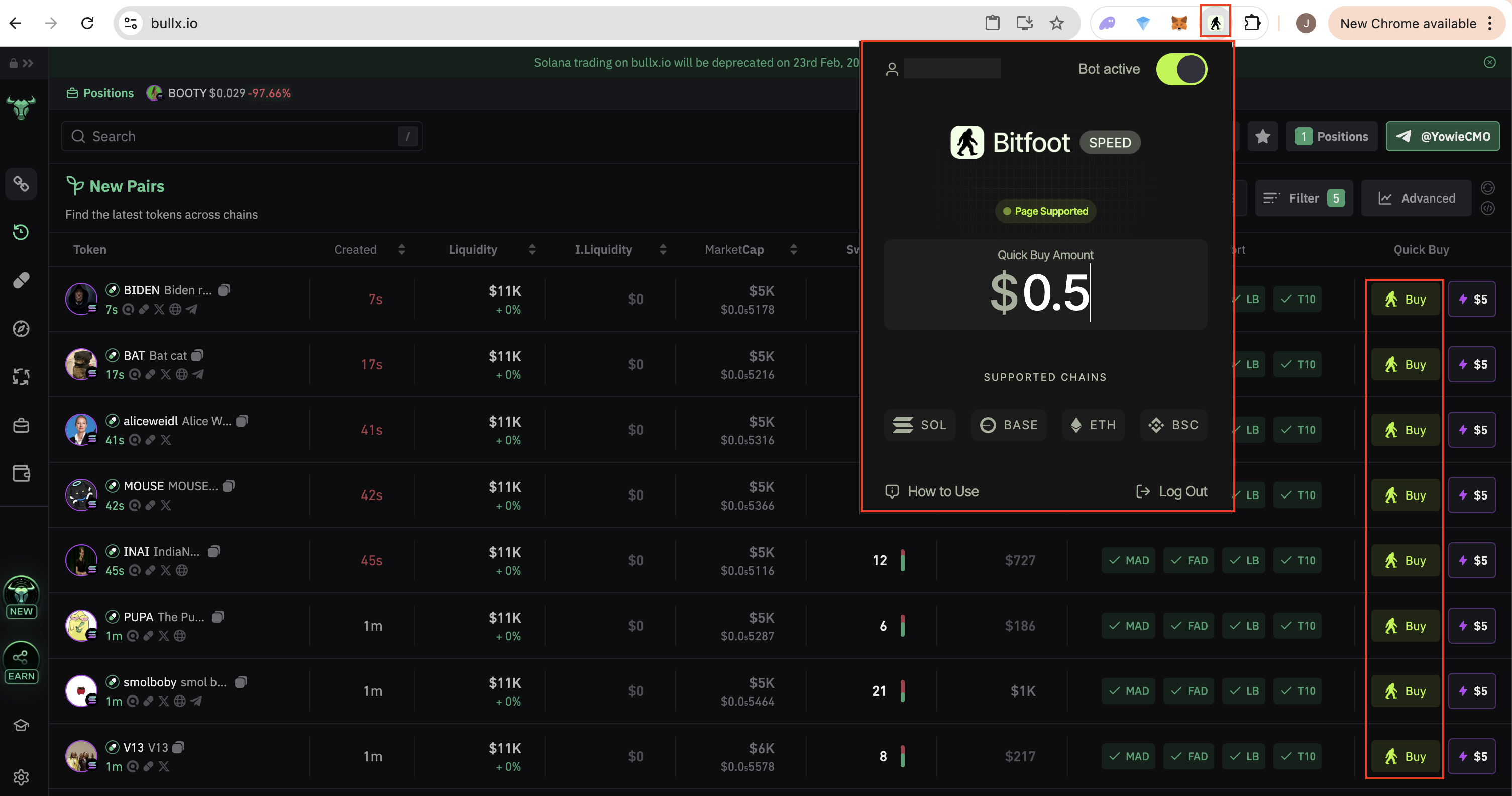
Meet the Bitfoot Speed Extension. Your ultimate weapon for memecoin trading!
The [Bitfoot Speed Extension](https://chromewebstore.google.com/detail/imocfpmaclmhpkdhccieagipgbjjmjln?utm_source=item-share-cb) overlays a clean and powerful trading interface directly onto [crypto sites](/bitfoot-speed-extension/supported-platforms.md), allowing you to ape into memecoins instantly. No more tab-switching or copy-pasting contract addresses.
Tested and fine-tuned for maximum speed, it executes trades faster than your reflexes. Bitfoot gets you in before the pump. One click, full control, no delays.
{% embed url="" %}
Connected to your Bitfoot Telegram Bot, **it fires off trades instantly** so you can ape into the next dog-themed, frog-powered, or meme-fueled gem before it moons.
No more fumbling or missing the pump. Keep scouting for the next 100x, and let Bitfoot handle the speed of buys and sells. Memecoins move fast—Bitfoot moves faster. Get in, get out, and stack those bags.
{% content-ref url="/pages/0XZ4O9YLMMe4Buh6exiy" %}
[Installation & Guide](/bitfoot-speed-extension/installation-and-guide.md)
{% endcontent-ref %}
{% content-ref url="/pages/V6eB7Q4NOd7hKvLbBNmF" %}
[Supported Platforms](/bitfoot-speed-extension/supported-platforms.md)
{% endcontent-ref %}