> For the complete documentation index, see [llms.txt](https://docs.bitfoot.com/llms.txt). Markdown versions of documentation pages are available by appending `.md` to page URLs; this page is available as [Markdown](https://docs.bitfoot.com/features/manual-swaps.md).
# Manual Swaps
Trade tokens manually by entering specific token addresses and desired actions (buy, sell).
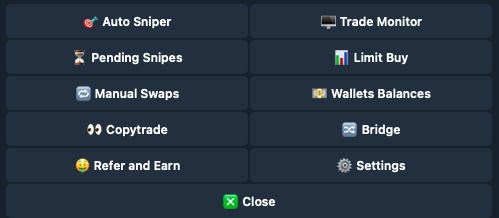
### Main Menu > Manual Swaps
Manual Swaps
Start by entering the token address you wish to exchange.
### [💳](https://emojipedia.org/credit-card) Select Wallet
If you have more than one wallet connected to Bitfoot, select the wallet from which you wish to exchange.
### 🛡️ **MEV Protect**
Secure transactions against Miner Extractable Value attacks.
### 📊 **Chart**
Opens a chart of the token on [coinbrain.com](https://coinbrain.com)
### [🔄](https://emojipedia.org/counterclockwise-arrows-button) Refresh
Click Refresh to see the latest statistics.
## Buy Functions
Buy Menu
### [✏️](https://emojipedia.org/pencil) Buy ETH
You can choose from predefined values or input your own value.
### [✏️](https://emojipedia.org/pencil) Buy Tokens
Input the amount of tokens you with to purchase.
## Sell Functions
Sell Menu
### [🛒](https://emojipedia.org/shopping-cart) Sell Initials
Sell all holdings of the same token from selected wallet.
### [✏️](https://emojipedia.org/pencil) Sell Percentage
You can choose from predefined values or input your own value.
### [☢️](https://emojipedia.org/radioactive) **Nuke**
Option to sell all holdings of the same token across all wallets.